If you hold USDT, USDC, or BTC and want to grow your PC game library, you have probably hit the same wall at the Steam checkout: there is no button to purchase games on Steam with crypto. Valve's storefront runs entirely on traditional card and fiat rails, so your digital assets sit on the sidelines while the sale you want is one click away.
The good news is that you do not need to cash out to a bank and wait days for a wire. A no-KYC virtual Visa card bridges the gap in minutes: you fund it with crypto, Steam sees a normal premium card at checkout, and your games land in your library instantly. This guide explains why Steam refuses crypto directly, why gift-card resellers are risky, and exactly how to buy Steam games with crypto the safe way.
Why Steam Doesn't Accept Crypto Directly
To understand the workaround, it helps to know Valve's history with digital assets.
- The 2017 Bitcoin removal. Steam briefly accepted Bitcoin, but in December 2017 Valve shut down direct BTC payments. It cited extreme price volatility and network fees that had spiked toward $20 per transaction. Prices could swing between the moment a customer started checkout and the moment the payment confirmed, creating constant errors and refund headaches.
- The 2021 blockchain policy. In October 2021 Valve went further, updating its onboarding rules to ban applications built on blockchain technology that issue or let users exchange cryptocurrencies or NFTs. Valve does not want items on the platform that carry real-world monetary value.
The result is simple: Steam does not accept any form of direct cryptocurrency payment. To spend crypto on games, you need an indirect route that ends in a fiat-denominated card transaction.
The Trap of Crypto Gift-Card Resellers
Search for a Steam crypto payment and you will find dozens of marketplaces selling Steam Wallet codes for Bitcoin. It can work, but it is full of pitfalls:
- Region locks. Steam Wallet codes are tied to a specific country and currency. Buy an EU code for a US account and Steam rejects the mismatched currency.
- Hidden markups. Resellers bake fat margins into their exchange rates, so you routinely pay more than the game's retail price.
- Account bans. Codes from unauthorized or shady sellers can be revoked. Steam may claw back the game key or freeze the account entirely.
A crypto-funded virtual card avoids all three problems, because you are simply paying Steam with a normal card in your own account's currency.
The Better Way: A No-KYC Virtual Visa Card
The fastest and most cost-effective way to buy Steam games with crypto is a crypto-funded virtual Visa card. It behaves like any other card at merchants that accept Visa, which includes Steam.
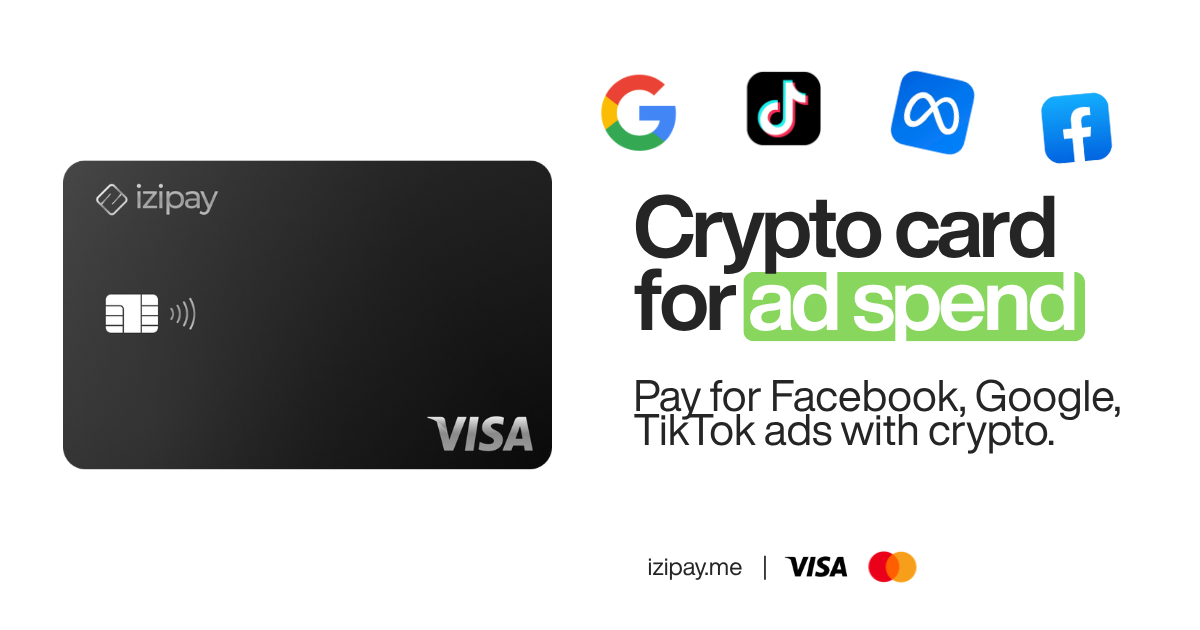
IZIPAY issues a no-KYC virtual Visa that acts as an invisible bridge. You fund the card with USDT, USDC, or BTC from your own wallet, and the balance converts to spendable fiat. At the Steam checkout, Valve's processor simply sees a premium Visa clearing normally. They get fiat, you spend crypto, and your privacy stays intact. The premium BINs are chosen to clear demanding checkouts cleanly, there is no monthly fee, and top-ups carry a flat 3% fee with no hidden exchange spread. For the full picture of how these cards work, see our guide to the best no-KYC virtual crypto card and the virtual debit card product page.
Gift Cards vs. a Virtual Visa Card
| Factor | Crypto gift-card reseller | Virtual Visa card (IZIPAY) |
|---|---|---|
| Region flexibility | Locked to code's country | Set billing region to match your account |
| Pricing | Markup baked into rate | Retail price + flat 3% top-up |
| Account risk | Keys can be revoked or banned | Standard card payment, no revocation |
| KYC / privacy | Varies by seller | No KYC, off your bank statement |
| Reuse | One-time code | Reusable for future purchases |
| Speed | Wait for code delivery | Card ready in minutes |
Step-by-Step: Buy Steam Games With Crypto
Follow these three steps to fund your library.
1. Get Your Virtual Card
Open the IZIPAY dashboard and generate a virtual Visa card. There is no KYC for standard digital-entertainment spending, so the card is ready almost immediately and your identity stays private.
2. Top Up With Crypto
Transfer USDT, USDC, or BTC from your non-custodial wallet to your IZIPAY account. The balance converts to spendable fiat at a flat, transparent 3% top-up fee, with no hidden exchange markup. Add a little more than the game's price to cover the fee and any currency conversion at Steam.
3. Check Out on Steam
- Add your games to the Steam cart and proceed to checkout.
- Choose Visa as the payment method.
- Enter your 16-digit card number, expiry, and CVV.
- Important: make the billing address region match the country set on your Steam account to avoid a decline.
- Confirm the purchase. If Steam requests 3D Secure (3DS), grab the one-time code from your IZIPAY dashboard to finalize.
You can also add the card to Apple Pay or Google Pay for one-tap purchases on other stores.
Which Crypto Should You Use to Fund the Card?
You can top up with USDT, USDC, or BTC, and the practical differences come down to fees and speed on the network you send from.
- USDT and USDC (stablecoins). These are the easiest choice because their value does not move while you shop. One dollar of USDC funds roughly one dollar of card balance, minus the flat 3% top-up. Sending on a low-fee network keeps costs down.
- BTC. Perfectly usable, but Bitcoin's price can drift between the time you send and the time it confirms. If you fund with BTC, add a small buffer so a dip does not leave your balance short of the game price.
For most gamers, a stablecoin is the simplest path: predictable balance, predictable fee, no surprises at checkout.
Regional Pricing and Why the Billing Address Matters
Steam uses regional pricing, so the same game can cost noticeably different amounts depending on the store region tied to your account. That is exactly why the billing address on your card matters. A virtual card lets you set a billing region that matches your Steam account, which keeps payments flowing and prevents the currency-mismatch declines that trip up gift-card buyers. Keep in mind that Steam actively discourages using mismatched regions purely to exploit pricing, and repeatedly switching store countries can flag an account. The safe play is to keep your card region and Steam region consistent.
Beyond Steam: One Card for Your Whole Setup
A virtual Visa is not just a Steam unlock. The same card funds Xbox Game Pass, PlayStation Network, Nintendo eShop, and subscriptions like Discord Nitro, Twitch, and cloud-gaming services. You keep full control of your assets, sidestep regional pricing games, and keep your entertainment spending off your traditional bank statement. If you want the broader strategy of spending crypto anywhere without identity checks, read our flagship guide on how to pay for anything with a no-KYC crypto card.
Tips to Avoid Declines
- Match the region. Your card's billing country should match your Steam account country. Mismatches are the most common decline reason.
- Cover the fee. Top up slightly above the game price so the 3% fee and any FX rounding do not leave you short at checkout.
- Have the 3DS code ready. Keep your IZIPAY dashboard open so you can enter the verification code quickly if Steam asks for it.
- Watch sales, not spot price. Because your balance is already fiat, you are not exposed to crypto price swings between funding and purchase.
Conclusion
Steam will not take your crypto directly, and it likely never will. But that does not lock you out. By funding a no-KYC virtual Visa card with USDT, USDC, or BTC, you turn your digital assets into a normal card payment that Steam accepts every time, while skipping the region locks, markups, and ban risk of gift-card resellers. Fund the card, match your region, and your next AAA release is one click away.
Ready to start? Create your IZIPAY card and buy your first Steam game with crypto today.