No-KYC Crypto Card: Pay for Anything Online with Crypto
You hold crypto. Your wallet has USDT, maybe some BTC or ETH. And yet, when you try to pay for the things you actually want online - a ChatGPT Plus subscription, a Claude Pro plan, a Facebook ad account, a flight, a Netflix bill - you hit a wall. Almost nothing on the open internet accepts crypto directly. Checkout pages want a Visa or Mastercard number, an expiry date, and a billing address. Your on-chain balance, however large, is useless at that screen.
For millions of people the wall is even higher. If your local bank card is blocked from international payments, if you are a freelancer in a region that Stripe and PayPal treat as high-risk, or if you simply do not want every purchase tied to a government ID and a permanent bank record, the normal financial system quietly locks you out.
This guide is the complete answer. A no-KYC crypto card turns your on-chain balance into an ordinary, spendable Visa that works anywhere cards are accepted - no documents, no bank, no waiting. Below we cover exactly how it works, what you can pay for, why regular cards get declined and this one does not, what "no KYC" honestly means, and how to get set up in about two minutes.
The short answer: a card in two minutes
Here is the whole idea in one paragraph. You sign up for an izipay virtual Visa card with just an email - no passport, no selfie, no proof of address for standard use. You top it up with crypto (USDT, USDC, BTC, ETH, SOL, BNB, MATIC or TON), which converts to a plain USD balance on the card. Then you enter that card number at any checkout on the internet, exactly like a normal debit card. The merchant sees a funded Visa. Your bank sees nothing, because there is no bank. That is it - crypto in, spendable card out, ready in minutes.
Want to skip straight to it? Open izipay.me and create your card, or read on to understand exactly why this works and where it matters most.
How it works: crypto in, card out
The mechanism is deliberately simple, and understanding it makes everything else obvious.
- Create the card. Sign up with an email address. A virtual Visa is issued to you in minutes - a real card number, expiry and CVV you can use online immediately. A physical debit card is also available if you want to tap and pay in shops.
- Fund it with crypto. Send USDT, USDC, BTC, ETH, SOL, BNB, MATIC or TON to the deposit address shown in your dashboard. Stablecoins like USDT (on TRC20, ERC20 or BEP20) and USDC arrive fast and cheap. The crypto is converted once, on your side, into a USD balance sitting on the card.
- Pay anywhere. Use the card number at any online checkout, or add it to Apple Pay and Google Pay for one-tap mobile payments. The conversion from crypto already happened, so the merchant only ever processes a normal, fully funded Visa transaction.
There is a flat 3% top-up fee when you fund the card and $0 monthly maintenance - you are never charged just for holding it. Full numbers are on the pricing page.
The key insight: the crypto-to-fiat step is fully separated from the payment. Merchants never touch your wallet, never see a blockchain, and never know crypto was involved. To them you are simply a Visa cardholder.
What you can actually pay for
This is where a crypto card stops being a novelty and becomes genuinely useful. Because it presents as a standard Visa, it works on services that have no crypto option at all - which is almost all of them. Here is a snapshot of what people use an izipay card for.
| Category | Examples | Why a crypto card helps |
|---|---|---|
| AI tools | ChatGPT Plus, Claude Pro, Midjourney, Perplexity, API credits | None accept crypto; many decline foreign or prepaid cards |
| Subscriptions | Netflix, Spotify, YouTube Premium, iCloud, Adobe | Recurring billing needs a card that clears every month |
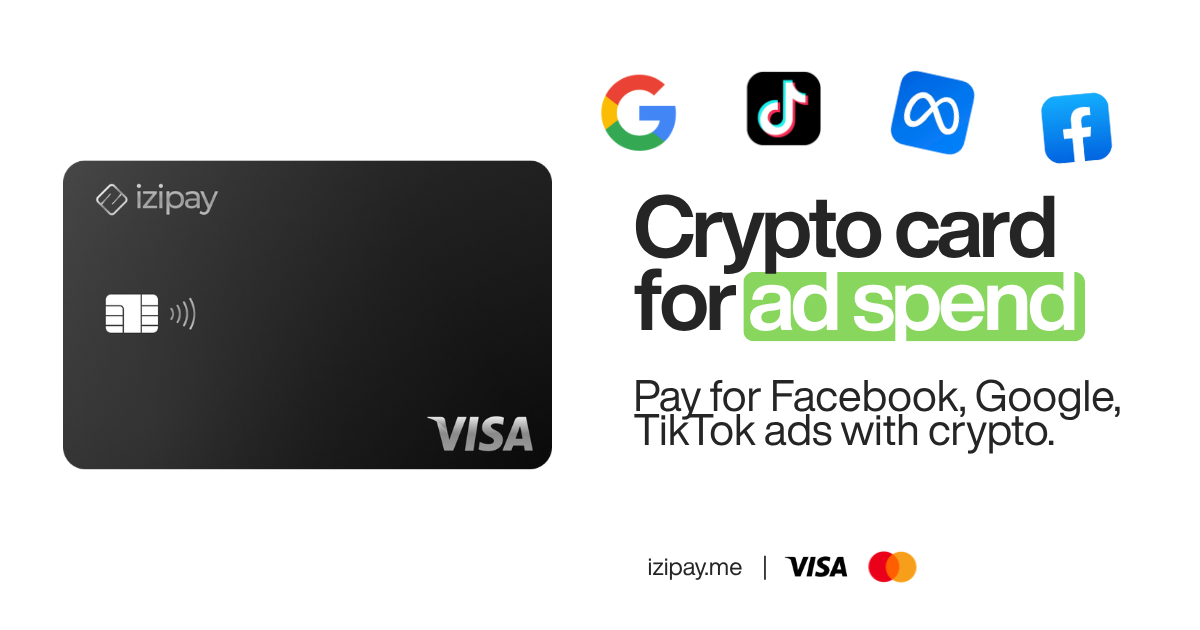
| Advertising | Facebook / Meta Ads, Google Ads, TikTok Ads | Ad accounts reject unstable or region-mismatched cards |
| SaaS and hosting | Notion, Figma, GitHub, AWS, VPS providers | International SaaS billing that your local bank may block |
| Travel | Flights, hotels, eSIMs, car hire | Book globally without exposing your bank identity |
| Shopping | Amazon, marketplaces, digital goods | Spend crypto anywhere Visa is accepted |
The AI category deserves special attention, because it is the single most common reason people reach for a card like this. Tools like ChatGPT and Claude bill through Stripe and simply do not take crypto. If you want to pay for AI tools with crypto, a Visa is the only realistic path. We have dedicated walkthroughs for how to buy ChatGPT with crypto, a deeper guide to paying for ChatGPT, and one for Claude and other AI bots. Advertisers, meanwhile, lean on this to fund campaigns - see our guide to paying Google Ads with crypto.
Subscriptions are the second big use case, and they raise a specific requirement: the card has to clear not once but every single month, automatically. A prepaid card that scrapes through the first charge and then gets flagged on renewal is worse than useless - you lose access mid-month and have to re-enter payment details on every service. Because an izipay card behaves like a real commercial Visa, recurring billing on Netflix, Spotify, Adobe, iCloud and the rest keeps working month after month, as long as you keep a balance on it. Top up once, and your whole stack of subscriptions renews quietly in the background.
Why regular cards fail, and how izipay fixes it
If you have ever tried to pay for a subscription with a random prepaid card or a card from certain countries, you know the frustration: the payment is "declined" with no explanation, even though there is money on the card. This is rarely about your balance. It is almost always about the BIN and the billing region.
The BIN - Bank Identification Number - is the first six to eight digits of a card. It tells the merchant's payment processor what kind of card this is: which issuer, which country, and critically, whether it is a low-tier prepaid card or a proper commercial card. Fraud systems at Stripe, Meta and others score cheap prepaid BINs as high-risk and block them on sight. Add a mismatch between your card's country and your account's country, and the decline is almost guaranteed.
izipay cards are issued on premium commercial BINs that these processors recognise and trust. That is the difference between a ChatGPT or ad-account checkout going through on the first try versus bouncing repeatedly. It is not magic - it is simply using a card that the payment network was designed to accept.
| Blocked / prepaid bank card | izipay crypto card | |
|---|---|---|
| Funding | Local bank, often restricted abroad | Crypto: USDT, USDC, BTC, ETH and more |
| BIN quality | Often low-tier prepaid, high decline rate | Premium commercial BIN that clears Stripe |
| KYC to open | Full ID, proof of address, bank approval | Email only for standard use |
| Works internationally | Frequently blocked or region-locked | Pay globally, any Visa merchant |
| Setup time | Days to weeks | Minutes |
| Ties to your bank identity | Yes, every transaction | No bank involved |
| Monthly fee | Varies, often mandatory | $0 maintenance |
If declines are your problem specifically, our no-KYC card guides go deeper on which cards clear which merchants.
"No KYC" explained honestly
Let us be precise, because this matters and a lot of competitors are not straight about it.
"No KYC" means you can open and use an izipay card for standard purposes without submitting identity documents - no passport upload, no selfie, no proof of address, no bank interview. You sign up with an email and you are issued a card. That is a real, meaningful improvement in privacy and speed, and it is exactly why people search for a no-KYC virtual crypto card in the first place.
What "no KYC" does not mean is total anonymity. Every card payment still leaves a record: the merchant knows what you bought, the card network processes the transaction, and standard financial and anti-fraud rules still apply. A card is fundamentally a traceable instrument. If someone tells you a Visa card makes you invisible, they are selling a fantasy.
So the honest positioning is this: a no-KYC card gives you strong privacy and frictionless access - your purchases are not tied to a bank account opened under your government ID, and you are not handing documents to yet another company - but it is not a tool for anonymity or evading law. Used for what it is good at - paying for legitimate services without a bureaucratic gauntlet - it is excellent. For a fuller treatment, see our comparisons of the best no-KYC cards for 2026, the most anonymous debit card options, and the community-sourced no-KYC card Reddit guide.
Paying globally: when your bank is the problem
For a huge share of the world, the wall is not preference - it is geography. Local banks in many countries restrict or outright block international online payments. Cards from certain regions get flagged as high-risk by Western processors. Currency controls cap how much you can spend abroad. And under sanctions or banking instability, ordinary people lose access to global services entirely, through no fault of their own.
This is where a crypto-funded card is not a convenience but a lifeline. Because it is funded on-chain and issued on a globally accepted BIN, it sidesteps the local banking bottleneck completely. A freelancer in Lagos can pay for the SaaS tools their clients require. An agency in Istanbul can fund ad campaigns. A student in Karachi can subscribe to the AI tools everyone else already uses. A developer in Jakarta can pay for cloud hosting billed in dollars.
We maintain region-specific guides for the markets where this matters most:
- India - best crypto cards in India
- Turkey - best crypto debit cards in Turkey
- Indonesia - best crypto cards in Indonesia
- Pakistan - crypto cards available in Pakistan
The pattern is the same everywhere: if your money is already in crypto and your bank cannot get you onto the global internet, a no-KYC Visa bridges the gap.
It is worth naming why this happens, because it is not personal. Payment processors and merchants price risk by geography. A card issued in a market they associate with chargebacks or fraud gets a worse score before you have done anything, and currency controls or correspondent-banking gaps mean the transaction may never even reach the merchant. None of that reflects on you as a customer - it is a structural bias baked into how cross-border card payments are routed. Funding on-chain and spending on a trusted global BIN simply removes your local banking system from the equation, so you are judged on the transaction in front of the merchant rather than on the passport in your pocket.
Choosing a coin: stablecoin or BTC?
You can fund an izipay card with USDT (TRC20, ERC20 or BEP20), USDC, BTC, ETH, SOL, BNB, MATIC or TON. Which should you use? A quick guide.
- For most people, use a stablecoin. USDT or USDC is pegged to the dollar, so $100 of USDT becomes roughly $100 of card balance (minus the flat 3% top-up fee). There is no exchange-rate guesswork, and transfers on networks like TRC20 or BEP20 are fast and cost pennies.
- USDT on TRC20 is usually the cheapest and quickest option and the one most users pick. USDC is equally solid if that is what you hold.
- BTC, ETH, SOL and others work too, but their value floats. Fund with BTC and the card balance reflects BTC's dollar value at the moment of conversion. That is fine, just be aware you are effectively selling that crypto to dollars when you top up.
Rule of thumb: if you want predictability, top up with a stablecoin. If you are spending down volatile crypto anyway, any supported coin is fine.
Step by step: from wallet to checkout
- Sign up. Go to izipay.me and register with your email. No documents for standard use.
- Open your card. A virtual Visa is issued in minutes with a usable number, expiry and CVV. Order a physical card too if you want in-person payments.
- Copy your deposit address. In the dashboard, choose your coin and network (for example USDT on TRC20) and copy the address or scan the QR code.
- Send crypto. Transfer from your wallet or exchange. Stablecoin transfers usually confirm within a couple of minutes.
- Watch the balance appear. After the flat 3% top-up fee, your USD balance is ready to spend.
- Pay. Enter the card at any checkout, or add it to Apple Pay / Google Pay and tap. Done.
That is genuinely the entire process. Most people go from "I have USDT" to "my ChatGPT subscription is active" in under ten minutes on their first try.
Fees and privacy, plainly
No buried costs - here is the whole picture:
- Top-up fee: a flat 3% when you fund the card. That is the main cost, and it covers the crypto-to-fiat conversion.
- Monthly maintenance: $0. You are never charged for simply keeping a card.
- KYC cost: none for standard use - no documents, no identity company holding your data.
- Privacy: no bank account, so no bank statement itemising your purchases and no financial institution opened under your ID. Card payments still leave normal transaction records, as covered above.
The exact, current numbers always live on the pricing page. Compared with the mandatory monthly fees, foreign-transaction charges and decline headaches of a restricted bank card, a single flat top-up fee is straightforward.
Virtual vs physical: which do you need?
| Virtual card | Physical card | |
|---|---|---|
| Ready in | Minutes | Shipped to you |
| Best for | Online payments, subscriptions, ads, AI | In-store tap, ATM, everyday spending |
| Apple / Google Pay | Yes | Yes |
| Number available instantly | Yes | On delivery |
For paying for AI tools, subscriptions, SaaS and ads - the reasons most people are reading this - the virtual card is all you need, and it is live in minutes. Add a physical card when you also want to tap to pay in the real world or withdraw cash. Many users keep both.
Bottom line
If you hold crypto but keep hitting checkout pages that will not take it - or a bank that will not let you pay the wider world - a no-KYC crypto card is the missing piece. Sign up with an email, top up with USDT or any supported coin, and spend on a premium Visa that clears ChatGPT, Claude, ad accounts, subscriptions and virtually anything else online. No documents, no bank, no waiting.
Ready to turn your crypto into spendable money? Create your no-KYC card at izipay.me and pay for anything in minutes.