USDC has become the internet's dollar: stable, transparent, and settled on-chain in seconds. But there is still a gap between the digital dollars sitting in your wallet and the coffee, groceries, or flight you actually want to buy. Cashiers do not accept a wallet-to-wallet transfer, and almost no physical retailer takes crypto directly. The fix is not a new protocol at the register. It is a card that turns your USDC into ordinary tap-to-pay spending.
This guide explains exactly how to spend USDC in physical stores in 2026 using a no-KYC virtual Visa card, how the conversion works behind the scenes, and how to keep fees and friction to a minimum.
Why You Cannot Pay a Cashier in USDC Directly
Point-of-sale terminals speak the language of card networks, not blockchains. When you tap a phone at a terminal, the merchant expects an authorization in local fiat, routed through Visa or Mastercard rails, and confirmed by a bank. A raw USDC transfer means nothing to that hardware.
So spending stablecoins in a store requires a real-time bridge. Your USDC needs to be converted to fiat and delivered to the merchant in the moment it takes to hear the terminal beep. A virtual card is that bridge. You fund the card with USDC, and the card issuer settles the merchant in their local currency automatically.
The practical takeaway: you do not need the store to support crypto. You only need a card the store already accepts, funded by the crypto you already hold.
What Happens in Those 300 Milliseconds
When you tap, the terminal requests authorization from the card network. The card issuer checks your available balance, converts the required amount from your USDC-funded balance to the merchant's currency at the live rate, and approves the transaction. The merchant is paid in fiat and never touches a blockchain. From your side it feels instant, because it is: the entire conversion and settlement is handled in the background while you wait for the beep. This is why a USDC card feels identical to a normal debit card at the register, even though the money behind it started as an on-chain stablecoin.
The Simple Path: A No-KYC Virtual Visa
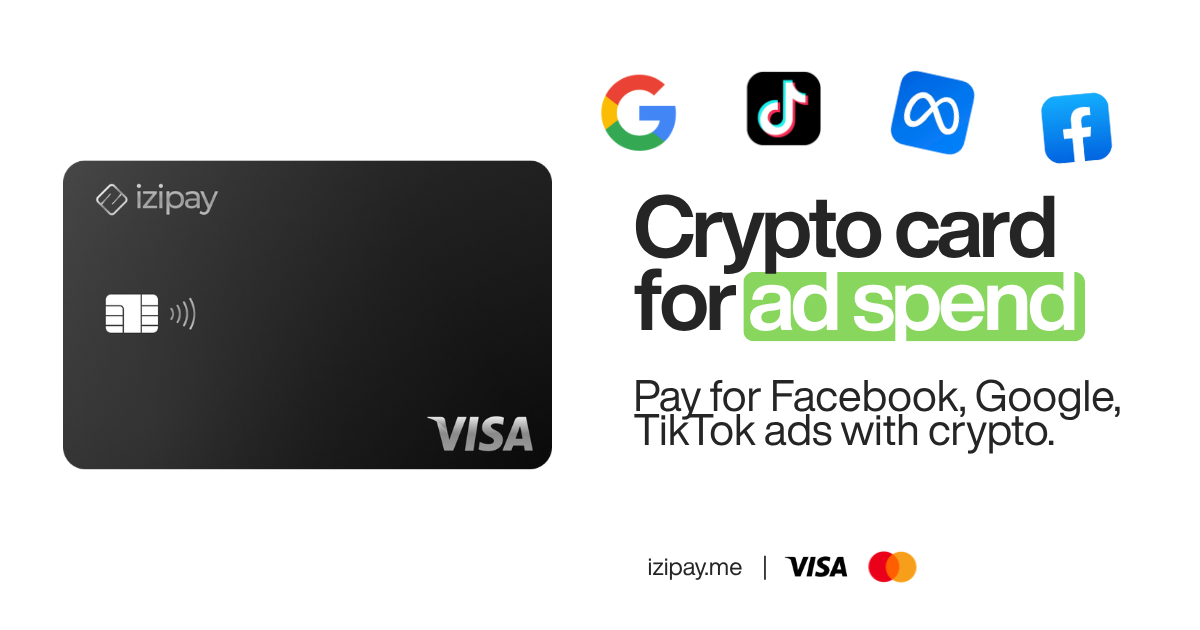
IZIPAY issues a virtual Visa card you can create in minutes with no KYC. You fund it with USDC (or USDT or BTC), the balance shows in fiat, and the card behaves like any other Visa at checkout. There is no plastic to wait for and no bank application to fill out.
Key facts worth knowing before you start:
- No KYC to open a virtual card.
- Fund with USDC, USDT, or BTC from any wallet.
- Premium BINs that reliably clear Stripe-style online checkouts.
- $0 monthly fee to hold the card.
- Flat 3% top-up fee when you load funds, with no hidden FX surprises.
- Apple Pay and Google Pay support for real-world tap-to-pay.
If you are comparing options first, see our roundup of the best no-KYC virtual crypto cards and the flagship guide on how to pay for anything with a no-KYC crypto card.
Step by Step: From USDC to Tap-to-Pay
Step 1 - Fund the Card With USDC
Open your IZIPAY dashboard and choose to top up. Send USDC from your wallet to the address shown. For everyday spending, low-fee networks keep your on-chain cost near zero, so you are not paying more in gas than the coffee itself. The flat 3% top-up fee is applied once, when funds land.
Step 2 - Add the Card to Apple Pay or Google Pay
Once your balance appears, reveal the card details and add them to Apple Wallet or Google Pay. This uses tokenization: your real card number is replaced by a device-specific token, so the merchant terminal never sees your actual card data. That keeps the card un-skimmable at the point of sale.
Step 3 - Tap and Pay Anywhere Contactless Is Accepted
Look for the contactless symbol at the register. Double-click the phone's side button, authenticate with Face ID or a fingerprint, and tap. The merchant receives their local currency, and your USDC-funded balance is drawn down. It works the same at a boutique in Paris or a newsstand in New York.
USDC Card vs. Traditional Payment Methods
| Feature | USDC via IZIPAY | Traditional Bank Card | Physical Cash |
|---|---|---|---|
| Setup time | Minutes, virtual issuance | 7 to 14 days by mail | N/A |
| KYC required | No | Yes | No |
| Funding source | USDC, USDT, BTC | Bank account | Deposit or ATM |
| Contactless (Apple/Google Pay) | Yes | Usually | No |
| Privacy | High, data-minimized | Low, fully bank-monitored | High but offline only |
| Monthly fee | $0 | Varies | None |
| Best for | Global crypto-native spending | Domestic banked users | In-person small buys |
Why USDC Beats Bitcoin for Daily Spending
Bitcoin is a strong store of value, but it is a poor medium of exchange at the register. Two reasons make USDC the better choice for everyday purchases:
- No volatility. A $5 coffee should not cost the equivalent of $50 next week because the market moved. USDC keeps your purchasing power predictable from top-up to checkout.
- Simpler in practice. Spending a stablecoin that already tracks the dollar avoids the mental overhead of watching a volatile asset swing between the moment you fund and the moment you pay.
That is why the pattern most people land on is simple: hold long-term value however you like, but fund your spending card with USDC.
Security: Why Virtual Beats Plastic
A virtual card funded by USDC gives you protection a physical card cannot:
- Nothing to steal physically. There is no plastic to lose or have lifted from a wallet.
- Tokenized at the terminal. Apple Pay and Google Pay pass a token, not your card number, so a compromised merchant cannot replay your details.
- Biometric gating. Every tap needs your face or fingerprint, so a lost phone does not mean a spent balance.
- Disposable by design. Because virtual cards are quick to create, you can keep a dedicated card for a specific use and retire it whenever you want.
A Real-World Example: The Digital Nomad
Picture a freelancer in Thailand paid in USDC by a client in London. A SWIFT wire would take days and shave a chunk off the top in bank fees. Instead, they top up an IZIPAY card instantly, add it to Google Pay, and use the same USDC balance for their co-working desk and dinner that evening. No multi-currency detours, no waiting, no branch visit.
Where a USDC Card Actually Works
Because the card runs on the Visa network, it is accepted at the same places any Visa is. In practice that covers almost everything you spend on day to day:
- Groceries and convenience stores where contactless is standard at the till.
- Cafes, restaurants, and bars that take tap-to-pay.
- Transit, taxis, and ride-hailing in cities that accept contactless fares.
- Travel spending such as hotels, airport shops, and duty-free, without the FX markup a home bank often adds abroad.
- Online checkouts that run on Stripe-style processors, since the premium BINs are built to clear them.
If your city has a shop that takes a plain tap of a phone, a USDC-funded card belongs there too.
Common Mistakes to Avoid
- Sending on the wrong network. Always match the network shown in the dashboard to the network you send from. A mismatch can strand funds.
- Topping up in tiny amounts. Load roughly what you plan to spend soon so the flat 3% is applied cleanly instead of over and over.
- Forgetting to add the card to a wallet. The in-store tap experience only works once the card is in Apple Pay or Google Pay, so do that before you reach the register.
- Assuming you need the merchant to support crypto. You never do. The merchant only ever sees a normal Visa payment in their local currency.
Getting the Most Out of It
- Fund in the right amount. Top up what you plan to spend soon so the flat 3% is applied efficiently, rather than loading and reloading in tiny increments.
- Keep one card per purpose. A card for subscriptions and another for in-person spending makes your activity easy to track.
- Use tap-to-pay everywhere it is offered. Contactless is the fastest, most private way to spend, and it keeps your card number off the terminal entirely.
Ready to turn stablecoins into everyday spending? Create your no-KYC virtual Visa at IZIPAY and start paying in stores with USDC today.